package servletApi.action;
import java.util.Map;
import org.apache.struts2.interceptor.ApplicationAware;
import org.apache.struts2.interceptor.SessionAware;
import org.apache.struts2.interceptor.RequestAware;
package servletApi.action;
import java.util.Map;
import org.apache.struts2.interceptor.ApplicationAware;
import org.apache.struts2.interceptor.SessionAware;
import org.apache.struts2.interceptor.RequestAware;
package servletApi.action;
import java.util.Map;
import com.opensymphony.xwork2.ActionSupport;
import com.opensymphony.xwork2.ActionContext;
public class ServletApi_ActionContext extends ActionSupport {
<?xml version="1.0" encoding="UTF-8" ?>
<!DOCTYPE struts PUBLIC
"-//Apache Software Foundation//DTD Struts Configuration 2.3//EN"
"http://struts.apache.org/dtds/struts-2.3.dtd">
<struts>
package model;
import java.security.MessageDigest;
import java.security.NoSuchAlgorithmException;
import java.util.Arrays;
import org.springframework.beans.factory.annotation.Autowired;
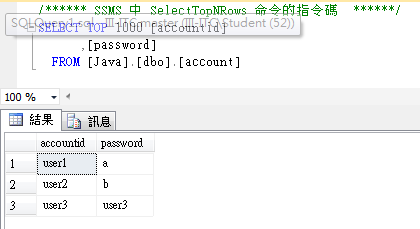
tomcat 的 server.xml
<?xml version="1.0" encoding="UTF-8"?>
<!--
Licensed to the Apache Software Foundation (ASF) under one or more
contributor license agreements. See the NOTICE file distributed with
<?xml version="1.0" encoding="UTF-8"?>
<web-app xmlns:xsi="http://www.w3.org/2001/XMLSchema-instance"
xmlns="http://xmlns.jcp.org/xml/ns/javaee"
xsi:schemaLocation="http://xmlns.jcp.org/xml/ns/javaee http://xmlns.jcp.org/xml/ns/javaee/web-app_3_1.xsd"
version="3.1">
<?xml version="1.0" encoding="UTF-8"?>
<web-app xmlns:xsi="http://www.w3.org/2001/XMLSchema-instance"
xmlns="http://xmlns.jcp.org/xml/ns/javaee"
xsi:schemaLocation="http://xmlns.jcp.org/xml/ns/javaee http://xmlns.jcp.org/xml/ns/javaee/web-app_3_1.xsd"
version="3.1">
<RelativeLayout xmlns:android="http://schemas.android.com/apk/res/android"
xmlns:tools="http://schemas.android.com/tools"
android:layout_width="match_parent"
android:layout_height="match_parent"
android:paddingLeft="@dimen/activity_horizontal_margin"
<?xml version="1.0" encoding="utf-8"?>
<manifest xmlns:android="http://schemas.android.com/apk/res/android"
package="com.iii.lcpan.activity">
<application
android:allowBackup="true"

資料夾呈現方式先改成project,之後建立特定資料夾(注意檔案名稱),並在各資料夾中放他們的string.xml檔
原本的:
<resources>
    <string name="app_name">I18N</string>
    <string name="hello_world">Hello world!</string>
AndroidManifest.xml
<?xml version="1.0" encoding="utf-8"?>
<manifest xmlns:android="http://schemas.android.com/apk/res/android"
package="com.iii.lcpan.activity">
    <application
res/menu(名稱不可更改) 新建(new)Directory 名稱:menu_main.xml
<menu xmlns:android="http://schemas.android.com/apk/res/android"
xmlns:app="http://schemas.android.com/apk/res-auto"
xmlns:tools="http://schemas.android.com/tools"
tools:context=".MainActivity">
